
Live dubbing
Hear any video spoken in your language while it plays. Natural AI voices keep up with the speaker.
Live AI dubbing and bilingual subtitles for any video — in your browser, on your desktop or from a file. Understand courses, films, podcasts and streams in the language you think in.
Waiting for audio…
Tap a language and watch the voice switch.
Made for
Features
Dub it, caption it, mix it, export it — every piece works on its own.
Hear any video spoken in your language while it plays. Natural AI voices keep up with the speaker.
Original and translated captions side by side, on a frosted-glass card you can drag, resize and fade.
Original audio, dubbed audio, source subtitles, translated subtitles — switch each one on or off.
Balance the original against the dub, with smart ducking that lowers the original while the dub speaks.
Capture runs ahead while an independent player pauses, seeks and goes fullscreen. Export WebM and SRT.
Translate any program’s audio live, or drop in an audio or video file and get a synced player, subtitles and a ZIP.
Choose your target language from the full Gemini set — the most popular ones come first.
No analytics, no ads, no relay servers. Audio goes straight to the AI provider you choose.
MIT-licensed. Bring your own free API keys, read every line, make it yours.
How it works
Add Avorythm to Chrome or Edge, paste a free Gemini API key from Google AI Studio and give consent.
Pick your target language, then watch right on the page for the lowest delay or in the synchronized player for steady sync.
Hear the dub and read both captions in real time. Mix, move, pause and export whenever you like.
Watch
A short film, a product demo and a step-by-step tutorial — in your language.
Watch in
Two ways to use it
The extension and the desktop app are independent — use either one, or both.
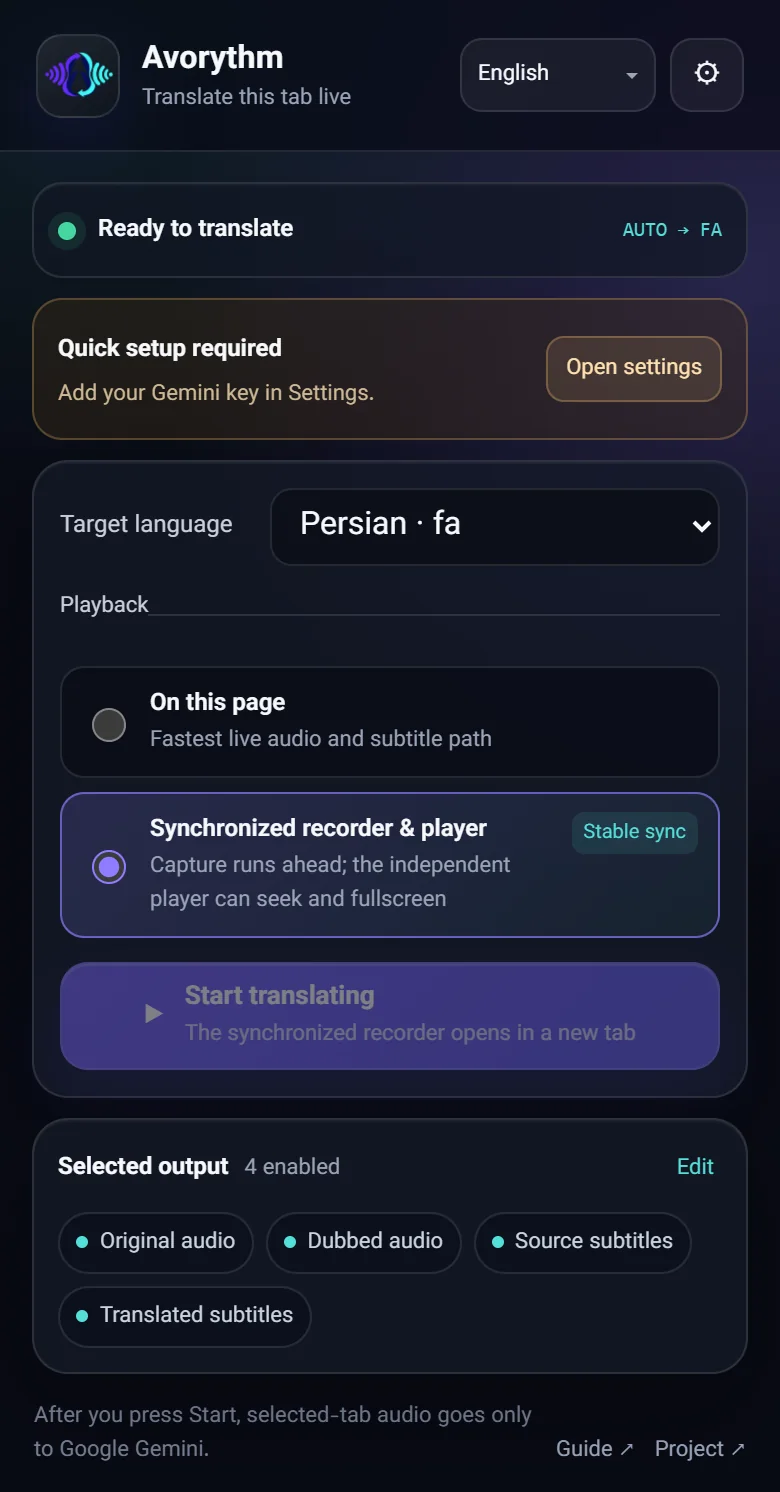
Browser extension
Add it to Chrome or Edge and dub the video you’re watching. It stands alone — no desktop app, Python, FFmpeg or virtual audio cable.
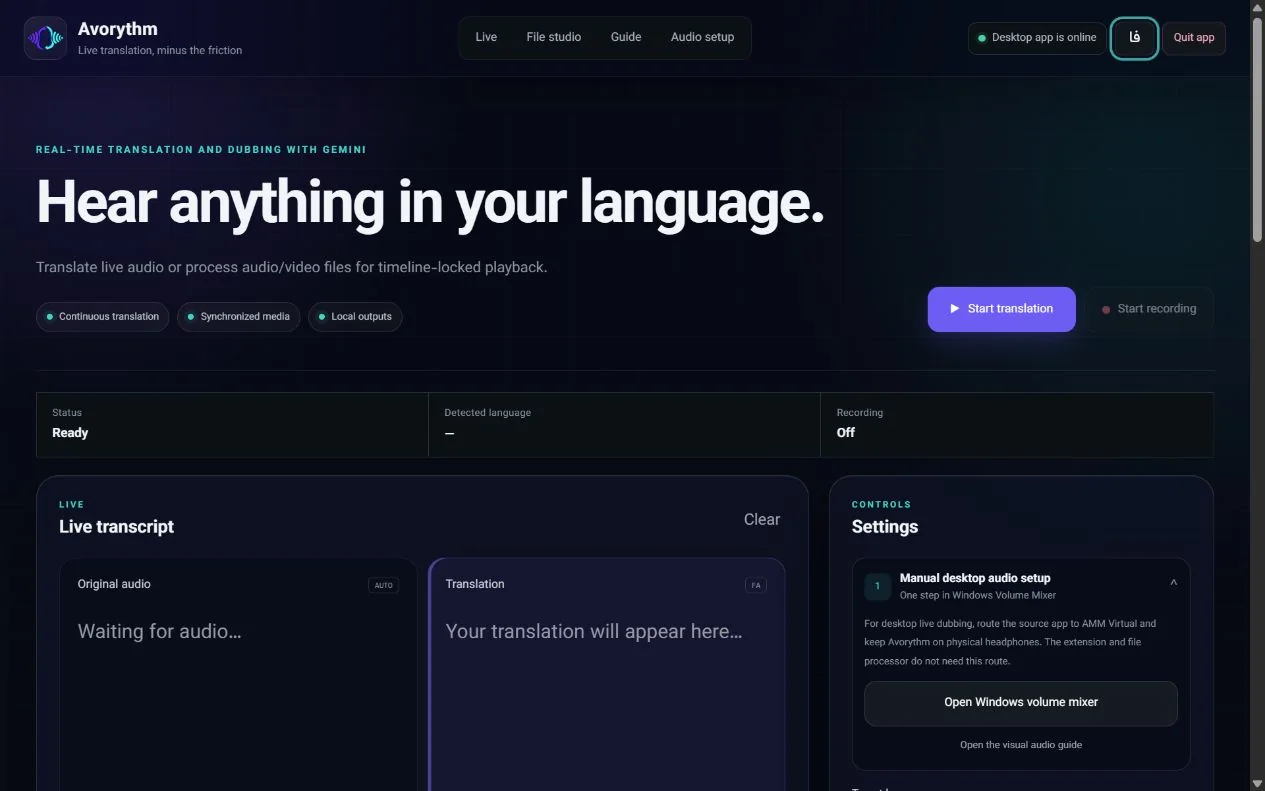
Desktop app
Dub audio from any desktop program, or drop in an audio or video file and get a synchronized player, subtitles and a ZIP of every output.
Tutorial
Follow along here, or watch the tutorial video above.
Add Avorythm from the Chrome Web Store and pin it to your toolbar. In Edge, use the same listing — or load the ZIP from the release page.
Create a key in Google AI Studio, then open Avorythm → Settings → “Connect to Gemini”, paste it and press Save. Finally tick the consent box so audio can be sent to Google Gemini — nothing is captured before you press Start.
Open the popup and pick a target language, then “On this page” (lowest delay) or “Synchronized recorder & player” (steady sync, seeking and export).
Open a normal video tab and press Start translating. Hear the dub, read both captions and drag the glass card wherever you like.
Switch the four outputs on or off, balance the original against the dub, and set the subtitle size and opacity in Settings.
Get the build for your system from Releases. The Windows installer already includes FFmpeg.
Open Advanced settings and save a Gemini key (plus a Groq key for file processing). Keys live in your operating system’s keyring.
To translate another program live, send its sound to a loopback device — AMM Virtual Audio on Windows, BlackHole on macOS, a monitor source on Linux — and pick it as the app’s audio input.
Choose your language and output mix, then press Start translation. Keep the listening output on your real headphones.
In the desktop app, open File Studio and drop in an audio or video file (up to 8 GB).
Choose the target language and a voice. “Precise” gives tighter sync; “Fast” finishes sooner.
Leave Avorythm running while it transcribes, translates, narrates and aligns your file.
Watch in the synchronized player, or download original.wav, dubbed.wav, source.srt and translated.srt — or everything as one ZIP.
Languages
Pick your target language from the full Gemini set — popular ones first, from Arabic and Chinese to Swahili and Zulu.
The interface is available in English, Persian and Simplified Chinese; dubbing and captions work in all 79 languages.
Privacy
Avorythm is built so that nobody — including us — sits between you and your media.
There is no tracking code in the app, the extension or this website.
API keys stay in your browser session by default, or in your operating system’s keyring on desktop.
Audio goes directly from your device to Google Gemini — and, in precise mode, short windows to Groq Whisper. Never to a server of ours.
Capture starts only after you give consent and press Start, and you can stop at any moment.
Every line is public. Read it, audit it, improve it.
Avorythm relies on preview AI services. Accuracy, voices, latency and quotas can change — double-check anything important. Read the privacy policy
Download
Free and open source. Choose your platform — you only need your own free Gemini API key.
Install from the Chrome Web Store. Edge users can add it from the same listing.
64-bit installer with FFmpeg included.
Native builds for Apple Silicon and Intel.
x64 build. Choose your PipeWire or PulseAudio monitor source in the app.
Manual install for Chrome or Edge with Developer mode.
The Windows installer is unsigned while code-signing approval is pending, so Windows may warn about an unrecognized publisher. Verify your download against SHA256SUMS.txt from the same release.
Version 1.1.17SHA256SUMSAll releasesChangelog
FAQ
Yes. The extension and the desktop app are free and open source (MIT). They use your own API keys: Google AI Studio offers a free Gemini tier, and Groq’s free tier powers Whisper for files. Provider limits and quotas apply and can change.
No. The extension is fully standalone — no desktop app, Python, FFmpeg, localhost or virtual audio cable. The desktop app is for translating other programs’ audio and for processing files.
Any normal web page that plays audio or video in Chrome or Edge 116+. DRM-protected streams and browser-internal pages (such as chrome://) can block capture; use the “On this page” mode when video capture isn’t possible.
Live translation has to hear a phrase before it can speak it, so a small delay is unavoidable. “On this page” is the lowest-delay path. The synchronized player records ahead (20 seconds by default) so audio, video and captions stay on one timeline.
Capture starts only after you give consent and press Start. Audio goes straight from your browser to Google Gemini — and, in precise mode, short windows to Groq Whisper — never to servers of ours. There are no ads, analytics or telemetry, and keys stay in your browser session unless you choose to remember them.
79 target languages, from English, Persian, Arabic and Chinese to Swahili and Zulu. The interface itself is in English, Persian and Simplified Chinese, with more planned.
Avorythm uses preview AI services. Accuracy, voices, latency and quotas can change, and no AI translation is perfect — double-check anything important.
Not yet. Avorythm supports Chrome and Edge (Chromium 116 or newer). Edge users can install it from the Chrome Web Store listing; a dedicated Microsoft Edge Add-ons listing is on the roadmap.
A code-signing application with the SignPath Foundation is pending. Until it’s approved, Windows SmartScreen may show an unrecognized-publisher warning. Verify your download against SHA256SUMS.txt from the same release.
Star the repository, share the videos, report bugs, suggest features or send a pull request — everything happens in the open on GitHub.